From chart evidence to a plan you can review, test and track.
01 / READ THE MARKET
Find the context behind the move.
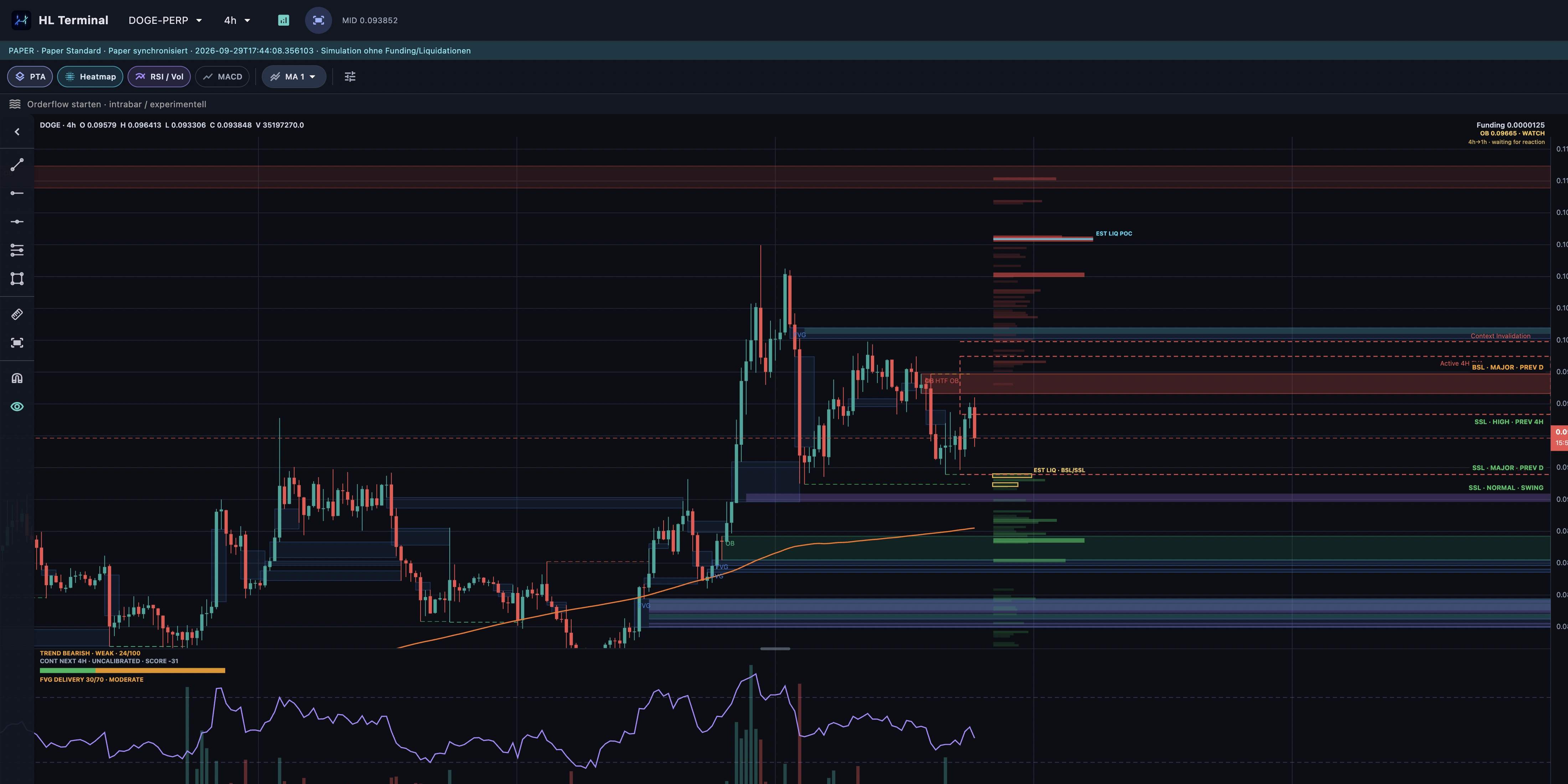
Read market structure, liquidity sweeps, Order Blocks and Fair Value Gaps with the native PTA indicator. Trading Contexts bring direction, zones, targets and invalidation together across your favorite markets.
Trading Contexts · open the screenshot to inspect the details
02 / PLAN AND TEST
Give every idea a plan.
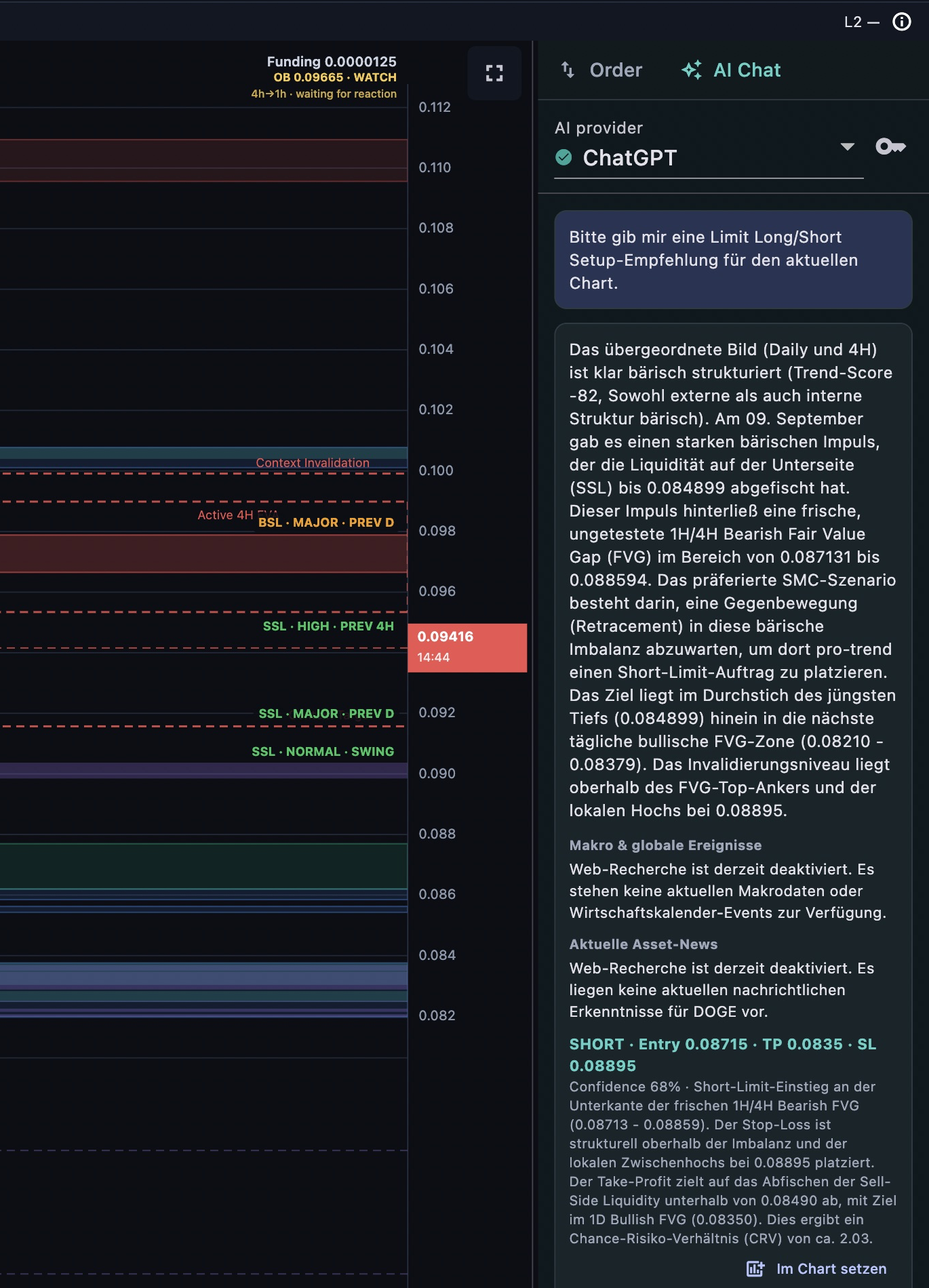
Discuss a chart with the in-app AI assistant or connect Codex on your Mac. Review suggested entries, stops and targets, then refine the setup on the chart and in the order ticket.
Practice with virtual capital. Paper Trading starts with 100,000 virtual USDC. Use separate accounts to compare strategies and follow equity, fees and drawdown.
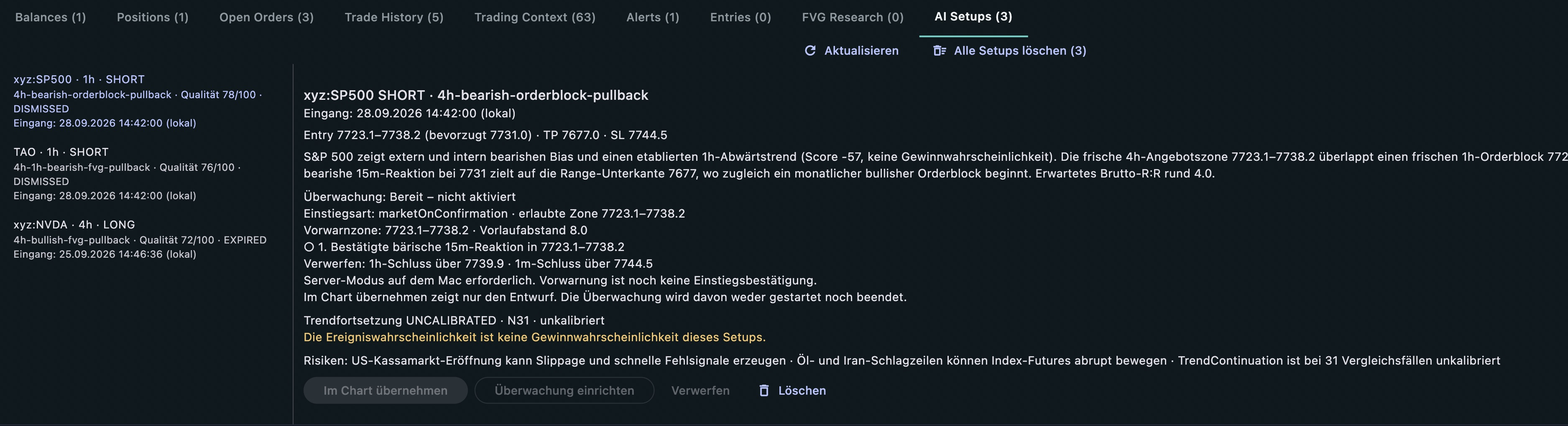
Bring AI recommendations into your review inbox with their rationale and trade levels. On the native Apple apps, activate a monitoring plan and receive notifications when your conditions are met.
Continuous native monitoring runs on a synced Mac in Server Mode. You review the evidence and submit every live order yourself.
AI Setups · review, refine and activate monitoring
Screenshots show the current German app interface in Paper Trading mode.
CHART RECORDING · YOUR MARKET IN TIMELAPSE
Keep the story behind the move.
A liquidity sweep. A return to an FVG. The reaction that follows. Record your live chart and revisit how the setup developed, with the indicators and drawings visible at the time.
Mac, iPad and supported browsers. Chart capture and export stay on your device.
RECORD THE DEVELOPMENT60×
8 hoursof chart history
→
8 minutesto review at 60×
Illustration · example at 60× speed. Time gaps between snapshots remain in the exported timeline.
CHOOSE WHERE TO START
Choose your platform.
Charts, Trading Contexts, Paper Trading, AI Chat and manual live orders are available on all three platforms. Storage, account sync and alerts depend on your platform.
WEB APP
Open and explore.
Use HL Terminal directly in your browser. Paper accounts use a separate hosted ledger; browser settings stay local. Trading and AI keys are protected with a local passkey vault.
This beta is still being tested. It offers the same core features as the current iPhone and iPad apps: charts and indicators, Trading Contexts, Paper Trading, AI Chat and manually submitted live orders.
Compared with iPhone and iPad
Settings stay on the Android device. Paper accounts are tied to the installation, and iCloud sync is unavailable. Optional Android push alerts use server monitoring and Firebase Cloud Messaging.
Compared with the web app
Android installs as an app and protects API keys with Android Keystore. The web app runs directly in the browser, uses a passkey vault and has its own separate Paper accounts.
Start with Paper Trading, connect your Hyperliquid account, learn the PTA, explore AI Chat or set up monitoring. Six videos, organized by task and platform.
What would make your trading workflow easier? Follow @HLTerminalApp on X for development updates, share your ideas, and tell us what to improve next. Try new features in beta and let us know how they work for you.
Choose a workflow that fits your devices and the way you want to explore markets.
Can I start without a trading wallet?
Yes. Explore charts and use Paper Trading with virtual funds. Live orders require your own Hyperliquid account, a configured API wallet and current exchange verification. Opening the app or viewing Mainnet prices does not authorize a live order.
What do the AI features require?
In-app AI Chat uses your own API key for a supported provider. Codex requires your own Codex access and the local macOS plugin. AI usage follows your provider’s plan and limits.
When do I need a running Mac?
For the local Codex connection and continuous native setup monitoring, keep the macOS app running in Server Mode. Browser Paper Trading uses its own hosted ledger. Native Paper accounts sync through iCloud and are separate from browser accounts.
No. AI prepares analysis and advisory setups for your review. You choose the plan and manually submit every live order. The Codex bridge cannot place, change or cancel orders.